
Alternatives to Caption.IM
Explore the best alternatives and competitors to Caption.IM.
Explore 20 alternatives to Caption.IM. Compare features, pricing, and find the best fit for your needs.
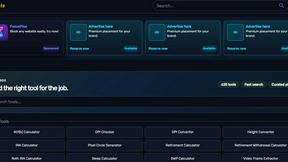
Kody Tools
Free collection of online developer utilities, code formatters, and digital converters designed to streamline your daily workflow.
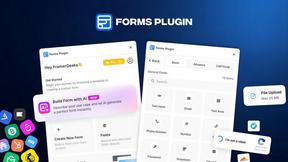
Forms Plugin
The #1 Native Form Builder Plugin for Framer - No Code, No Embeds, No External Platforms.

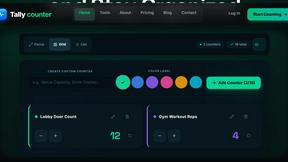
tallycounterweb.com
Tally Counter is a simple online counting tool for tracking attendance, workouts, inventory, sports scores, visitors, and everyday activities.


iHatePosting
Schedule, customize, and publish content across 14 social networks from one powerful social media scheduler.

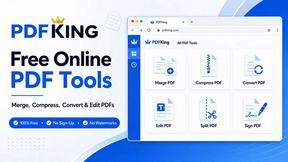
PDFKing
Free all-in-one online PDF toolkit to convert, compress, merge, split, edit, organize and protect PDF files quickly and securely.


PDFWix
PDFWix solves the challenge of managing PDF documents by providing free, secure, and easy-to-use tools for editing, converting, compressing and more
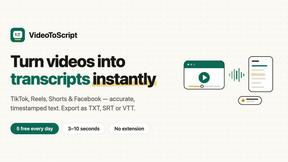
VideoToScript
Turn TikTok, Reels, Shorts, Facebook videos, audio, and video into accurate timestamped transcripts with TXT, SRT, and VTT exports.
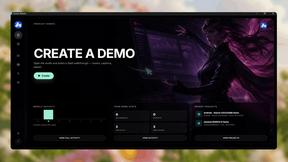
Screen Beaver
Create product videos manually or let your AI agent control Screen Beaver through MCP—no mouse or keyboard needed.


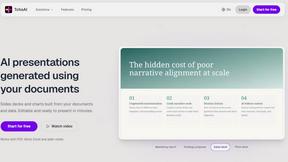

Wisegrid
Wisegrid helps project-driven teams manage projects, workflows, resources, and reporting in a familiar spreadsheet-style workspace.


Postqued
Schedule and publish social content across 10 platforms with one dashboard, API, and MCP built for teams and AI agents.


ihatepdf.cv
ihatepdf.cv is a privacy-first, browser-based PDF platform that provides an extensive suite of tools for editing, converting, compressing, organizing,
About Caption.IM Alternatives
Caption.IM is a real-time AI captioning tool designed exclusively for macOS, falling under the Productivity & Management category. It functions as a privacy-first assistant that converts any system audio from your Mac into live captions, translations, recordings, and structured meeting notes, all powered by local AI processing. Users commonly seek alternatives to Caption.IM for several reasons, including its macOS-only limitation, which excludes Windows and Linux users, as well as potential concerns over pricing models, the need for additional features like cloud-based collaboration, or a preference for browser-integrated solutions rather than standalone applications. When evaluating alternatives, it is essential to consider cross-platform compatibility, real-time accuracy, language support for translations, ease of use, and the level of privacy offered. Additionally, look for tools that can integrate seamlessly with your preferred video conferencing platforms, provide robust summary generation, and offer flexible recording options to match your workflow requirements. The best choice will depend on whether you prioritize local processing for security or cloud-based features for broader accessibility.
FAQs about Caption.IM Alternatives
What is Caption.IM?
Caption.IM is a privacy-first AI captioning assistant designed exclusively for macOS. It captures system audio directly to provide real-time captions, translations, recordings, and structured meeting notes, all powered by local AI on your device. Unlike browser extensions or meeting bots, it works across any application on your Mac, including Zoom, Google Meet, YouTube, and podcasts.
Who is Caption.IM for?
Caption.IM is built for macOS users who need real-time captions and translation support during meetings, webinars, online courses, or while consuming media. It is ideal for professionals, students, and accessibility advocates who want to improve productivity and information equity without relying on cloud-based bots or browser dependencies. The tool is particularly useful for those who value local processing for enhanced privacy.
Is Caption.IM free?
The provided content does not specify a pricing model for Caption.IM. However, it is described as a standalone macOS application that offers features like live subtitles, translation, recording, and summary generation. Users should check the official Caption.IM website for current pricing, free trial availability, or subscription details, as such information is not included in the product description.
What are the main features of Caption.IM?
Caption.IM offers real-time AI captions for any audio on your Mac, instant translations for multilingual content, and the ability to record important audio. It also transforms long discussions into clear summaries, key points, action items, and mind maps. All processing is done locally on your device, ensuring privacy without needing bots to join meetings or a browser dependency.