
Alternatives to Vibeworker
Explore the best alternatives and competitors to Vibeworker.
Explore 20 alternatives to Vibeworker. Compare features, pricing, and find the best fit for your needs.
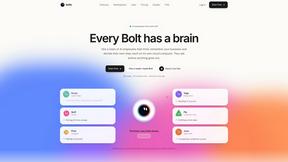
Bolts
AI employees with a brain that think, remember your business and work 24/7 on their own cloud computers.
InterviewAce
Real-time AI answer suggestions during live interviews, grounded in your own resume and experience.
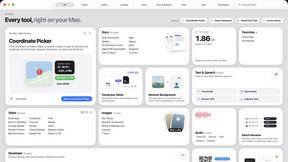
Toolbox
96 private Mac tools in one app: compress video, sign PDFs, remove backgrounds, transcribe. Offline, no account, pay once.
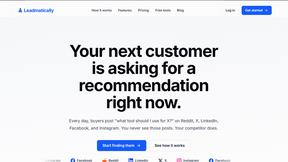
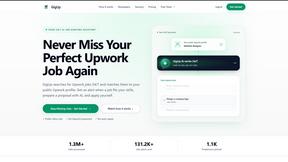

Safe Outreach
AI-powered platform that evaluates the safety of LinkedIn automation tools and helps reduce the risk of account restrictions.
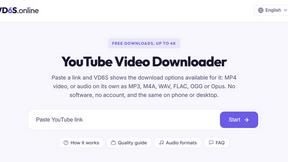
VD6S
VD6S is a free YouTube video downloader that supports HD, 4K and up to 8K downloads when available. Save videos in MP4 or audio in multiple formats.
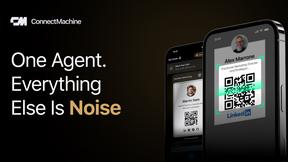
ConnectMachine
Still handing out paper business cards? ConnectMachine is a free digital business card that saves straight into the other person's contacts.

Zinn Hub
Fairer global freelance marketplace connecting buyers with vetted freelancers, low fees, 46+ languages, live translation and instant payout options.
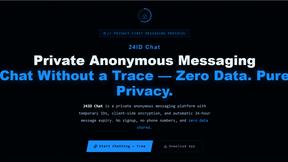
24IDChat
Private, anonymous messaging with zero signups or phone numbers. Features client-side ECDH & AES-256-GCM encryption, 24-hour auto-expiring IDs.

Emailyy
Free email tools for signatures, subject lines, HTML previews, word counts, and email headers. Browser-based, simple to use, and no signup required.


Uniclip
Clip pages, take full-page screenshots and batch-capture list data to Notion, Feishu, Obsidian, Markdown, CSV or JSON.
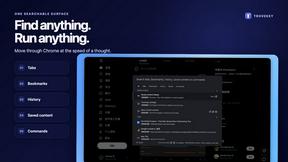
TroveKey
Search tabs, Chrome bookmarks and history, run browser commands, and save webpages and social posts locally—no account.

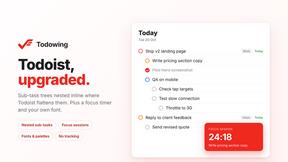
Todowing
Chrome extension that nests Todoist sub-tasks under their parents in Today, Upcoming, Filter and Label views. Free tier, $19.99 one-time unlock.
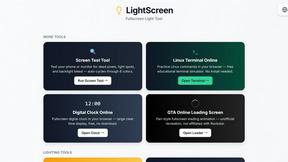
LightScreen
Free light screen tool online. Turn any display into a flashlight, ambient light, or solid-color screen. No download or sign-up.
Screen Issues
Free Online Screen Test Tool - Instantly diagnose dead pixels, lines, color issues, and flickering. Multiple test modes, no download needed.

FreeVideoGenerator
Free AI video generator: turn text prompts and photos into video clips with Sora 2, Veo 3.1, Wan and more. Free starter credits, no watermark download
About Vibeworker Alternatives
Vibeworker is a specialized software tool within the Career & Jobs and Productivity & Management categories, designed to automate and optimize the process of finding freelance work on platforms like Upwork. It functions as an AI-powered job feed that analyzes every new job posting in real time, scoring each opportunity against a freelancer’s unique profile and strategy. By filtering out noise and highlighting only the most relevant matches, it saves users from manually scrolling through endless listings, allowing them to focus their energy on submitting high-quality proposals. Users commonly look for alternatives to Vibeworker for a variety of reasons, including concerns about pricing models, the need for broader platform support beyond Upwork, or a desire for different notification and integration capabilities. Some freelancers may find that the tool’s specific scoring criteria do not fully align with their niche or workflow, while others might seek a solution with a more intuitive user interface or additional features like built-in proposal tracking or analytics. When choosing an alternative, it is important to evaluate the accuracy of the job matching algorithm, the flexibility of notification channels, the depth of client and project vetting, and whether the tool integrates seamlessly with your existing freelance management stack. Prioritizing a solution that offers transparent pricing, customizable filters, and reliable real-time updates will ensure you maintain a competitive edge in securing quality work.
FAQs about Vibeworker Alternatives
What is Vibeworker?
Vibeworker is an AI-powered job feed tool specifically designed for freelancers on Upwork. It monitors every new job posting in real time and scores each one against your personal profile and strategy across multiple dimensions, including skill fit, scope clarity, client quality, and red flags. The result is a personalized feed sorted by match score, replacing the need to manually scroll through raw Upwork listings.
Who is Vibeworker for?
Vibeworker is built for serious freelancers who want to win work efficiently, not just browse job boards. It is ideal for independent professionals, consultants, and agencies who rely on Upwork as a primary source of client projects and need to prioritize high-quality opportunities over low-probability leads. The tool is best suited for those who value automation, data-driven decision making, and rapid response times.
What are the main features of Vibeworker?
Vibeworker offers real-time monitoring of every new Upwork job, scoring each one against your profile for factors like skill fit, client quality, and red flags. It provides instant notifications through push alerts, Telegram, RSS, or webhook, and includes a pre-drafted proposal ready to send when a strong match appears. The feed is sorted by a personal match score, allowing you to focus on the most promising opportunities first.
Is Vibeworker secure?
Vibeworker is designed with security in mind, as it connects to your Upwork account to analyze job postings and your profile data. The platform uses encrypted connections and follows standard data protection practices to safeguard your information. However, users should review the tool’s privacy policy and terms of service to understand exactly what data is accessed and how it is stored, especially since it interacts with a third-party freelance marketplace.