
Alternatives to Tagada
Explore the best alternatives and competitors to Tagada.
Explore 20 alternatives to Tagada. Compare features, pricing, and find the best fit for your needs.


VideoToScript
Turn TikTok, Reels, Shorts, Facebook videos, audio, and video into accurate timestamped transcripts with TXT, SRT, and VTT exports.

Screen Beaver
Create product videos manually or let your AI agent control Screen Beaver through MCP—no mouse or keyboard needed.




Wisegrid
Wisegrid helps project-driven teams manage projects, workflows, resources, and reporting in a familiar spreadsheet-style workspace.


Postqued
Schedule and publish social content across 10 platforms with one dashboard, API, and MCP built for teams and AI agents.
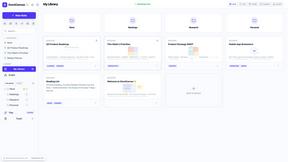
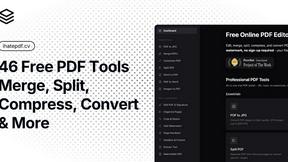
ihatepdf.cv
ihatepdf.cv is a privacy-first, browser-based PDF platform that provides an extensive suite of tools for editing, converting, compressing, organizing,

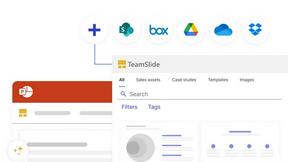
TeamSlide
TeamSlide lets your team build on-brand presentations instantly by syncing approved slides from your content system directly into PowerPoint.
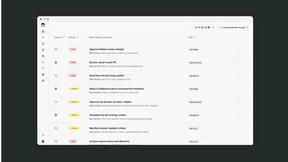
readywhen
readywhen automatically captures your decisions and commitments from tools you already use, then drafts your next steps so you just approve.

Caesura
Caesura is a macOS menu-bar app that reminds you to drink water, stretch, rest your eyes, and breathe on scientifically backed intervals.

Vibeworker
Vibeworker uses AI to score every new Upwork job against your strategy and sends instant alerts for only the best matches.
Online Keyboard Shortcuts
OnlineShortcuts.com provides a comprehensive reference of essential keyboard shortcuts for Windows, macOS, and Linux to boost productivity.

MacBrightness
MacBrightness unlocks your Mac's hidden brightness range, doubling screen visibility in direct sunlight through your existing keyboard keys.

RecordFlow
RecordFlow automatically saves Zoom cloud recordings to Google Drive and can delete them from Zoom to free up storage.

About Tagada Alternatives
Tagada is a browser extension designed to streamline the way professionals manage their Gmail inbox, falling squarely within the productivity and email management category. It parses incoming emails into clickable sentences, allowing users to highlight, tag, and categorize key points locally, then generates a clean reply template based on those selections. Users commonly look for alternatives due to specific needs such as different pricing models, a desire for additional collaboration features, or the requirement for cross-platform support beyond Gmail. Others may seek tools with more advanced automation or integrations with other CRM and project management software. When evaluating an alternative to Tagada, it is essential to prioritize solutions that respect your data privacy and security protocols, especially if you handle sensitive information. You should also consider the ease of integration into your existing workflow, whether the tool offers the same level of instant parsing and reply generation, and if it supports the specific platforms you use. Look for a product that balances speed of response with organizational capability, ensuring that any alternative you choose can match or exceed Tagada's core promise of reducing email response time without compromising on local data processing.
FAQs about Tagada Alternatives
What is Tagada?
Tagada is a browser extension that transforms how you read and reply to emails directly inside Gmail. It parses incoming emails into clickable sentences that you can highlight, tag, and organize by category with a single click. The tool then generates a clean reply template based on your selections, helping you respond faster and more clearly without ever sending your data to the cloud.
Who is Tagada for?
Tagada is ideal for professionals, support teams, freelancers, consultants, and anyone who manages long or complex email threads. It is specifically designed for individuals who want to cut down their response time, structure their replies more effectively, and keep their data fully private. Users who handle high volumes of email and need to track key points across conversations will benefit most from this tool.
Is Tagada free?
The provided content does not specify a pricing model for Tagada, so users should check the official product page for current pricing details. However, given its feature set of local processing and automatic reply generation, it is likely offered as a premium or freemium product. For the most accurate and up-to-date information, it is best to visit the official Tagada website or extension listing.
Is Tagada secure?
Yes, Tagada is designed with a strong focus on security and privacy. All processing occurs 100% locally on your device, meaning no AI models, cloud servers, or third-party services ever access your email data. This ensures that your sensitive information remains entirely under your control while you use the extension to parse, highlight, and organize your messages.