
Alternatives to QuickTextTools
Explore the best alternatives and competitors to QuickTextTools.
Explore 20 alternatives to QuickTextTools. Compare features, pricing, and find the best fit for your needs.

FreeVideoGenerator
Free AI video generator: turn text prompts and photos into video clips with Sora 2, Veo 3.1, Wan and more. Free starter credits, no watermark download


ButterShare
Transfer files between iPhone, Android, Windows, and Mac directly from your browser. Free, secure, and private. No apps, cloud storage, or signup.

AI Email Filter
AI Email Filter sorts incoming mail into folders using plain-language prompts you write. Works with any IMAP mailbox; bring your own LLM if you want.


Product Launch Checklist
A free launch checklist for SaaS, apps, AI tools and more. Every step says why it matters and when you can skip it.

Kody Tools
Free collection of online developer utilities, code formatters, and digital converters designed to streamline your daily workflow.
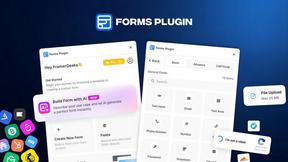
Forms Plugin
The #1 Native Form Builder Plugin for Framer - No Code, No Embeds, No External Platforms.


tallycounterweb.com
Tally Counter is a simple online counting tool for tracking attendance, workouts, inventory, sports scores, visitors, and everyday activities.


iHatePosting
Schedule, customize, and publish content across 14 social networks from one powerful social media scheduler.

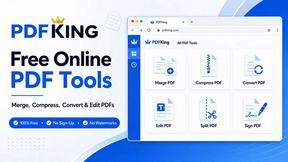
PDFKing
Free all-in-one online PDF toolkit to convert, compress, merge, split, edit, organize and protect PDF files quickly and securely.

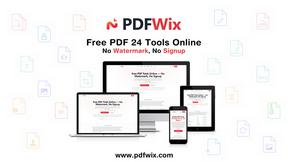
PDFWix
PDFWix solves the challenge of managing PDF documents by providing free, secure, and easy-to-use tools for editing, converting, compressing and more
VideoToScript
Turn TikTok, Reels, Shorts, Facebook videos, audio, and video into accurate timestamped transcripts with TXT, SRT, and VTT exports.

Screen Beaver
Create product videos manually or let your AI agent control Screen Beaver through MCP—no mouse or keyboard needed.

About QuickTextTools Alternatives
QuickTextTools is a free, browser-based productivity platform that falls under the Productivity & Management category. It offers over 76 utilities designed specifically for writers, marketers, SEO professionals, developers, and students, providing tools for text formatting, keyword management, SEO analysis, and writing assistance. Users commonly look for alternatives to QuickTextTools when they require more specialized or advanced features beyond basic text utilities, such as deeper integration with other software, collaborative capabilities for teams, or support for more complex data processing tasks. Additionally, some users may seek platforms with a different user interface, mobile app availability, or tools that extend into areas like grammar checking or advanced plagiarism detection that QuickTextTools does not explicitly cover. When choosing an alternative to QuickTextTools, it is essential to evaluate the specific tools you need most frequently, such as SEO analyzers, text case converters, or keyword grouping utilities. Consider whether the platform offers offline functionality, API access for integration into your existing workflow, or the ability to handle large datasets without performance lag. Privacy and data security should also be a priority, as many users rely on these tools for sensitive content. Finally, assess the learning curve and overall user experience, as the best alternative will seamlessly fit into your daily routine without requiring extensive setup or sacrificing speed and simplicity.
FAQs about QuickTextTools Alternatives
What is QuickTextTools?
QuickTextTools is a free, user-friendly online platform that provides over 76 browser-based utilities designed to enhance productivity for writers, marketers, developers, students, and SEO professionals. It offers a comprehensive suite of tools for text formatting, SEO analysis, keyword management, writing assistance, and developer tasks, all operating directly in your browser without requiring any software downloads or complicated setups.
Who is QuickTextTools for?
QuickTextTools is designed for a wide range of users including writers, content creators, marketers, SEO professionals, developers, and students. It is particularly useful for anyone who needs to quickly clean up text, analyze SEO meta tags, convert text case formatting, manage keyword lists, or improve their writing workflow. The platform's simplicity and breadth of tools make it accessible for both beginners and experienced professionals.
Is QuickTextTools free?
Yes, QuickTextTools is completely free to use. All 76+ utilities are available without any subscription fees, hidden costs, or trial periods. The platform operates entirely in your browser, eliminating the need for paid software downloads or premium upgrades, making it an accessible solution for users on any budget.
What are the main features of QuickTextTools?
QuickTextTools features a diverse collection of utilities including text formatting tools, SEO analysis utilities, writing assistants, keyword management tools, and developer utilities. Key tools allow users to clean up messy keyword lists, analyze SEO meta tags, convert text case formatting, and streamline writing processes. All tools are fast, easy-to-use, and privacy-focused, operating directly in the browser to ensure a secure and hassle-free experience.