
Alternatives to Online Keyboard Shortcuts
Explore the best alternatives and competitors to Online Keyboard Shortcuts.
Explore 20 alternatives to Online Keyboard Shortcuts. Compare features, pricing, and find the best fit for your needs.
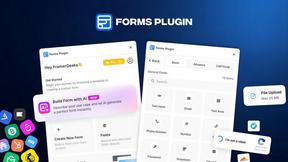
Forms Plugin
The #1 Native Form Builder Plugin for Framer - No Code, No Embeds, No External Platforms.


tallycounterweb.com
Tally Counter is a simple online counting tool for tracking attendance, workouts, inventory, sports scores, visitors, and everyday activities.


iHatePosting
Schedule, customize, and publish content across 14 social networks from one powerful social media scheduler.

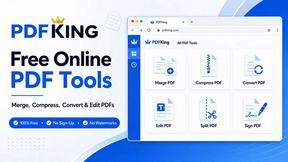
PDFKing
Free all-in-one online PDF toolkit to convert, compress, merge, split, edit, organize and protect PDF files quickly and securely.

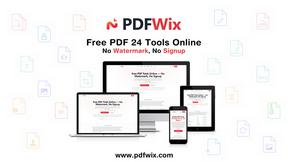
PDFWix
PDFWix solves the challenge of managing PDF documents by providing free, secure, and easy-to-use tools for editing, converting, compressing and more
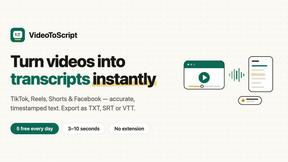
VideoToScript
Turn TikTok, Reels, Shorts, Facebook videos, audio, and video into accurate timestamped transcripts with TXT, SRT, and VTT exports.

Screen Beaver
Create product videos manually or let your AI agent control Screen Beaver through MCP—no mouse or keyboard needed.




Wisegrid
Wisegrid helps project-driven teams manage projects, workflows, resources, and reporting in a familiar spreadsheet-style workspace.


Postqued
Schedule and publish social content across 10 platforms with one dashboard, API, and MCP built for teams and AI agents.


ihatepdf.cv
ihatepdf.cv is a privacy-first, browser-based PDF platform that provides an extensive suite of tools for editing, converting, compressing, organizing,

About Online Keyboard Shortcuts Alternatives
Online Keyboard Shortcuts is a comprehensive reference tool categorized under Productivity & Management, designed to provide users with a complete directory of essential keyboard shortcuts for the three major operating systems: Windows, macOS, and Linux. By compiling these time-saving key combinations into a single, accessible resource, it helps users reduce their reliance on the mouse, perform tasks more efficiently, and streamline their daily workflow. Users often look for alternatives to this type of resource for several reasons, including a desire for offline access, the need for a more interactive or customizable learning interface, or a requirement for integration with specific software suites beyond the operating system level. Others may seek alternatives that offer progress tracking, built-in practice exercises, or a more modern visual design that better fits their personal learning style. When evaluating an alternative to a keyboard shortcut resource, you should prioritize the accuracy and breadth of its database, ensuring it covers the specific operating system and software versions you use. Consider whether the alternative offers a searchable interface or categorization by application, as this greatly enhances usability when trying to find a specific command quickly. Additionally, look for features that support active learning, such as quizzes, cheat sheets, or a built-in practice mode, which can accelerate the memorization process. Finally, assess the platform availability and whether the resource works offline, as reliable access without an internet connection is a critical factor for many professionals who need instant assistance regardless of their connectivity.
FAQs about Online Keyboard Shortcuts Alternatives
What is Online Keyboard Shortcuts?
Online Keyboard Shortcuts is a dedicated website that serves as a comprehensive reference guide for keyboard shortcuts across three major operating systems: Windows, macOS, and Linux. It provides a curated list of key combinations designed to help users perform tasks more quickly and efficiently by reducing their dependency on the mouse. The resource covers the most important and commonly used shortcuts, making it a valuable tool for boosting daily productivity.
Who is Online Keyboard Shortcuts for?
Online Keyboard Shortcuts is designed for a wide range of users, from casual computer users looking to speed up simple tasks to power users and professionals who rely on efficiency in their daily work. It is particularly useful for developers, designers, writers, and office workers who frequently switch between different operating systems and need a quick reference. Anyone looking to reduce repetitive strain from mouse use and improve their overall workflow will find this resource beneficial.
Is Online Keyboard Shortcuts free?
Based on the provided content, Online Keyboard Shortcuts is a website that offers its list of essential keyboard shortcuts without any mention of a paywall or subscription model. The primary function of the site is to provide easy access to this information, suggesting it is a free resource for users. As with many online reference tools, access to the core content is typically unrestricted to promote widespread productivity improvements.
What are the main features of Online Keyboard Shortcuts?
The main feature of Online Keyboard Shortcuts is its comprehensive, categorized listing of keyboard shortcuts for Windows, macOS, and Linux operating systems. It focuses on the most important and efficient key combinations that help users perform tasks faster and with less reliance on a mouse. The website organizes these shortcuts into a clear format, allowing users to quickly find the specific command they need for their respective operating system.