

Veo 4 video generator
Veo 4 transforms text, images, or video into studio-quality clips with realistic motion and cinematic detail in seconds.
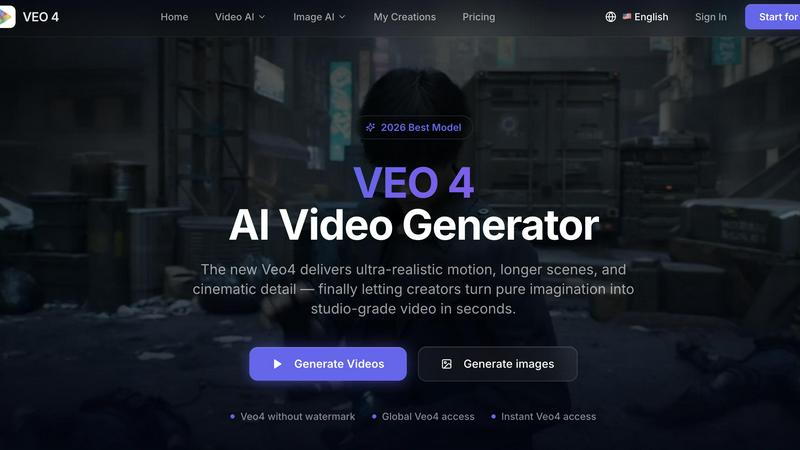
About Veo 4 video generator
Veo 4 is a next-generation AI video generator designed to help creators, marketers, and brands turn ideas into studio-quality video content in seconds. Unlike many AI video tools that feel experimental or produce jerky, low-detail results, Veo 4 focuses on delivering ultra-realistic motion, longer scenes, and cinematic detail that can actually be used in real-world projects. The tool supports three core creation paths: text to video, image to video, and video to video. This means users can start with a simple written prompt, a still image, or an existing video clip and transform it into polished, export-ready footage. Veo 4 is built for speed and clarity, making it especially useful for marketing and creative teams who need to produce first drafts quickly, compare variations, and shorten the gap between concept and publishable media. Whether working on product launches, paid social ads, branded storytelling, or short-form content, Veo 4 provides smoother motion, cleaner framing, and more intentional scenes. The tool also supports longer clips for narrative sequences and campaign concepts, with clean exports that move straight into editing workflows or landing pages. With global access and no watermark on outputs, Veo 4 is a practical, production-ready solution for anyone who needs stronger video faster. The platform is designed as an AI video creation workflow for teams, treating AI video not as a research demo but as a functional tool for real commercial use. It is most valuable when speed, clarity, and iteration matter, allowing marketers, creators, agencies, and product teams to produce stronger video output without a slow production process.
Features of Veo 4 video generator
Text to Video, Image to Video, and Video to Video Creation Paths
Veo 4 offers three distinct ways to generate video content, providing maximum flexibility for different creative starting points. Users can begin with a simple text prompt to explore a new concept or idea from scratch. Alternatively, they can upload a still image when they need visual direction and want the AI to animate an existing visual into a dynamic scene. The video to video workflow is particularly powerful for teams that already have footage, rough cuts, or source material that needs a new look, stronger pacing, or cleaner motion. This feature gives Veo 4 a practical role in iteration, not just first-pass generation, allowing users to restyle, extend, or improve existing clips without rebuilding them from scratch.
Ultra-Realistic Motion and Cinematic Detail
Veo 4 is engineered to deliver smoother motion, cleaner framing, and scenes that feel more intentional compared to other AI video generators. The model focuses on eliminating jerky movements and low-detail results that often plague experimental AI video tools. Instead, it produces ultra-realistic motion that mimics natural camera work and physical movement. This results in stronger ad creative and more believable visual storytelling. The cinematic detail includes proper lighting, texture, and depth, making the output suitable for professional use in marketing campaigns, product launches, and branded content. Teams can rely on Veo 4 when they need video that looks polished and production-ready rather than obviously AI-generated.
Longer Clip Support with Clean Exports
Unlike many AI video tools that limit output to very short clips, Veo 4 supports the creation of longer video sequences suitable for narrative storytelling, campaign concepts, and product explainers. This is critical for teams that need to build coherent scenes that last beyond a few seconds. The platform provides clean export options that make it easy to move generated footage directly into editing workflows, landing pages, or ad platforms without additional processing. Exports are free from watermarks, ensuring professional presentation. The ability to generate longer clips with consistent quality across the duration opens up more commercial applications for AI-generated video content.
Aspect Ratio, Motion, and Style Controls
Veo 4 gives users granular control over the final output through adjustable settings for aspect ratio, motion direction, and visual style. Users can set the format to match specific platform requirements, such as 9:16 for vertical social media content or 16:9 for widescreen video ads and presentations. Motion controls allow users to guide the direction and intensity of movement within the scene, ensuring the video aligns with their creative vision. Style settings enable customization of the visual aesthetic to match brand guidelines or campaign themes. These controls ensure that every generated video is tailored to its intended use, whether for paid social ads, product storytelling, or brand content.
Use Cases of Veo 4 video generator
Product Launches and Marketing Campaigns
Marketing teams can use Veo 4 to quickly generate video assets for product launches, creating compelling visual narratives that showcase new features and benefits. Instead of waiting for traditional production timelines, teams can input product descriptions or images and receive polished video content in seconds. This allows for rapid iteration on messaging and visual direction, with the ability to compare multiple variations before committing to a final concept. The ultra-realistic motion ensures that product demonstrations look professional and believable, helping to build consumer trust and excitement. Clean exports mean these videos can move directly into ad platforms, landing pages, or social media channels without additional editing.
Paid Social Advertising and Short-Form Content
For teams running paid social campaigns on platforms like Instagram, TikTok, or Facebook, Veo 4 provides a fast way to produce multiple ad variations for A/B testing. Users can generate different versions of a video by tweaking prompts, images, or styles, then compare performance metrics to identify the most effective creative. The support for 9:16 vertical aspect ratio makes it ideal for mobile-first social content. The ability to create longer clips also allows for more detailed storytelling within social ad formats, moving beyond the typical short loops. This accelerates the creative testing cycle and helps advertisers optimize their campaigns more efficiently.
Branded Storytelling and Narrative Sequences
Creative teams working on brand storytelling can leverage Veo 4 to generate longer narrative sequences that convey brand values, mission, or emotional connections. The tool's ability to produce cinematic detail and intentional scenes makes it suitable for building coherent visual stories that resonate with audiences. Whether creating a brand origin story, a customer testimonial visualization, or a conceptual campaign film, Veo 4 allows teams to explore creative directions quickly without the high cost and time investment of traditional production. The video to video workflow is especially useful for refining and extending existing brand footage to fit new campaign themes.
Iterative Video Refinement and Content Repurposing
Veo 4 excels in situations where teams already have existing video assets that need improvement or repurposing. The video to video feature allows users to take rough cuts, older footage, or source material and apply a new visual style, smoother motion, or better pacing. This is invaluable for agencies and content teams who need to refresh existing content for new campaigns or platforms without reshooting. It also supports iterative refinement, where a generated video can be used as input for further enhancement, creating a workflow of continuous improvement. This reduces production time and extends the lifecycle of existing visual assets.
Frequently Asked Questions
Is Veo 4 available globally and are there watermarks on outputs?
Yes, Veo 4 offers global access to users around the world, and outputs are generated without any watermarks. This makes the tool suitable for professional and commercial use where clean, branded video assets are required. Users can export their generated videos directly into editing workflows, landing pages, or ad platforms without needing to remove watermarks or deal with branding overlays.
What are the three main ways to create videos with Veo 4?
Veo 4 supports three core creation paths: text to video, image to video, and video to video. Text to video allows users to start with a written prompt to generate a new video from scratch. Image to video lets users upload a still image and animate it into a dynamic scene. Video to video enables users to upload an existing video clip to restyle, extend, or improve its motion and visual quality. This flexibility accommodates different creative starting points and workflows.
How does Veo 4 differ from other AI video generators?
Veo 4 focuses on delivering ultra-realistic motion, longer scenes, and cinematic detail that are actually usable in real-world projects, unlike many AI video tools that produce jerky, low-detail results. It is built for speed and clarity, making it especially useful for marketing and creative teams who need production-ready footage quickly. The tool also supports longer clips for narrative sequences and provides clean, watermark-free exports, positioning it as a practical solution rather than an experimental demo.
What types of teams and projects benefit most from Veo 4?
Veo 4 is most useful for marketing teams, creative agencies, content creators, and product teams who need to produce video content quickly for commercial purposes. It is designed for projects like product launches, paid social videos, branded storytelling, short-form content testing, and campaign concepts. The tool is ideal when speed, clarity, and iteration are important, allowing teams to produce first drafts faster, compare variations, and shorten the gap between concept and publishable media.
Similar to Veo 4 video generator

FreeVideoGenerator
Free AI video generator: turn text prompts and photos into video clips with Sora 2, Veo 3.1, Wan and more. Free starter credits, no watermark download

FreeCreate
Create AI images from text or reference photos and turn prompts or still images into short videos with FreeCreate. Start free—no account needed.

AIPetGen
AIPetGen turns a photo of your dog, cat, or other pet, or a written description, into a new picture or a short animation.

Slide-Easy
A Mac app that turns your App Store link into a week of Instagram Reels and carousels, written from your real reviews.


