

RoomCreator
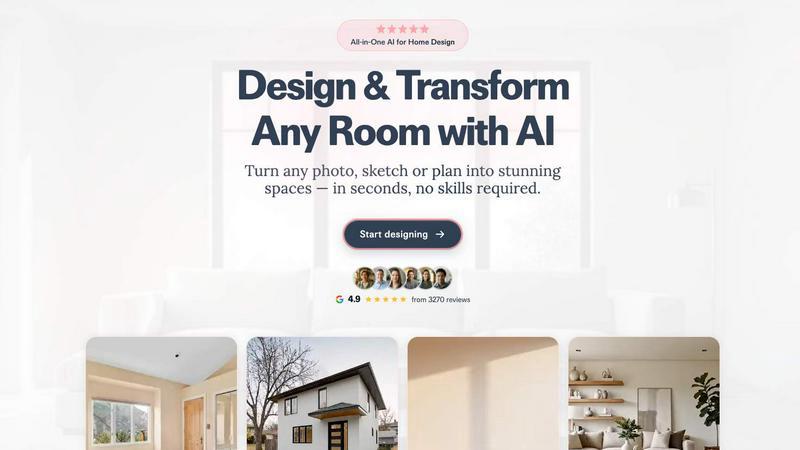
Upload any photo to instantly generate stunning, professional AI designs for your home with no skills required.
About RoomCreator
RoomCreator is an advanced, all-in-one AI-powered platform designed to democratize interior and exterior design visualization. It transforms the complex, often expensive process of home design into a fast, accessible, and intuitive experience for a wide range of users. At its core, RoomCreator allows anyone to upload a simple photo of a space—whether it's a messy room, a pixelated picture, or even a rough hand-drawn sketch—and receive hyper-realistic redesigns in as little as 10 seconds. The platform eliminates the need for professional design skills or costly software, enabling users to experiment with smart layout changes, new color palettes, furniture arrangements, and complete style makeovers instantly. Its value proposition lies in empowering confident decision-making for home projects by providing a realistic preview of potential outcomes before any physical work or financial commitment begins. RoomCreator is built for homeowners planning renovations, real estate agents enhancing property listings, and individual investors evaluating properties, offering a suite of specialized tools that cater to both interior and exterior design needs with professional-grade results.
Features of RoomCreator
Instant AI Interior Redesign
This flagship feature allows users to upload a single photo of any interior room and instantly generate multiple professionally designed alternatives. The AI analyzes the existing space and applies new styles—such as Modern, Scandinavian, or Japandi—complete with realistic furniture, color schemes, lighting, and layouts that are tailored to the room's dimensions. It provides a comprehensive before-and-after comparison, making it easy to visualize and choose a new design direction without any guesswork.
Exterior Design Visualizer
Specifically crafted for curb appeal, this tool enables users to test changes to a home's exterior using just one photo. Homeowners and real estate professionals can experiment with different paint colors, siding materials, roofing styles, and landscaping elements. This instant visualization is perfect for planning repainting projects, renovations, or creating more attractive listings by showcasing a property's potential before any physical alterations are made.
Precision Brush Editor
Offering granular control, the Brush Editor (Inpaint Tool) lets users make targeted edits to specific areas of an image without regenerating the entire scene. By simply brushing over an element—like an old sofa or a piece of decor—users can remove it or replace it with something new. This feature saves time and provides detailed customization, allowing for precise adjustments without starting the design process from scratch.
Empty Room Generator & Sketch to Render
This dual-functionality tool serves two key purposes. First, it can instantly declutter any room photo by removing all furniture and objects, leaving a clean canvas of walls, floors, and windows to visualize true potential. Second, it can transform hand-drawn sketches, floor plans, or basic layout concepts into photorealistic interior images, bridging the gap between initial ideas and realistic visualization for early-stage planning.
Use Cases of RoomCreator
Home Renovation Planning
Homeowners can use RoomCreator to plan and visualize renovations with confidence. Before purchasing paint, furniture, or hiring contractors, they can upload photos of their kitchen, living room, or bedroom to test various styles, layouts, and color schemes. This reduces the risk of costly mistakes and helps families agree on a design direction by seeing realistic previews of their future space.
Real Estate Listing Enhancement
Real estate agents can transform empty, dated, or cluttered property photos into beautifully staged and modern interiors. By generating attractive, realistic images, listings can stand out in a competitive market, attract more potential buyers, and help them envision themselves living in the space, potentially leading to faster sales and higher perceived property value.
Investment Property Analysis
Individual real estate investors and house flippers can utilize RoomCreator to evaluate the renovation potential of a property. By visualizing different design upgrades and cosmetic improvements, they can accurately assess the after-repair value, plan their budget, and create compelling visual presentations for partners or lenders to secure funding for their projects.
Interior Design Concept Development
DIY enthusiasts, hobbyists, and even professional designers in the early concept phase can use the platform to rapidly iterate on ideas. The ability to turn sketches into renders and experiment with countless styles allows for efficient brainstorming and client presentations, streamlining the creative process from a vague idea to a tangible visual concept.
Frequently Asked Questions
How does RoomCreator work?
The process is straightforward. First, you upload a photo of your room, exterior, or sketch. Second, you select a desired design style or theme from a wide library of options. Third, RoomCreator's AI processes your image and applies the chosen design elements, generating a hyper-realistic preview of your transformed space in just seconds. You can then compare the before-and-after side-by-side.
Do I need any design experience to use it?
No, absolutely no design skills or prior experience are required. RoomCreator is built specifically to be intuitive and user-friendly for everyone. The AI handles all the complex design work, from spatial planning to aesthetic styling. You simply provide the photo and choose the styles you want to see.
What kind of photos can I upload?
You can upload almost any image of a space. RoomCreator is designed to work with messy rooms, empty rooms, pixelated pictures, and even rough hand-drawn sketches. For best results, a clear, well-lit photo is recommended, but the AI is robust enough to handle a variety of starting points.
Is RoomCreator free to try?
Yes, RoomCreator offers a free trial that allows new users to experience the platform without requiring a credit card. The trial typically includes a set number of free credits (e.g., 10 credits) to test the core features and generate initial designs, so you can evaluate its usefulness for your specific needs.
Similar to RoomCreator

Orlyn
Privacy-first, cookieless web analytics that ties your traffic and marketing channels to real Stripe revenue.

Gamespad Taster
A simple online gamepad tester that helps you check controller buttons, sticks, triggers, D-pad, and other inputs instantly.

tallycounterweb.com
Tally Counter is a simple online counting tool for tracking attendance, workouts, inventory, sports scores, visitors, and everyday activities.


Wisegrid
Wisegrid helps project-driven teams manage projects, workflows, resources, and reporting in a familiar spreadsheet-style workspace.

