
Alternatives to happy oyster
Explore the best alternatives and competitors to happy oyster.
Explore 20 alternatives to happy oyster. Compare features, pricing, and find the best fit for your needs.



ContextBolt SEO
Research keywords, competitors, backlinks and AI visibility in Claude or Codex. Keep the findings in your SEO dashboard.

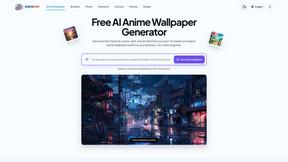
AnimeWall
Free AI anime wallpaper generator. Create original HD anime wallpapers and avatars from text prompts.
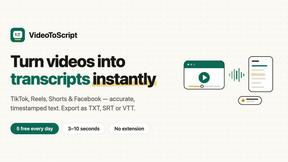
VideoToScript
Turn TikTok, Reels, Shorts, Facebook videos, audio, and video into accurate timestamped transcripts with TXT, SRT, and VTT exports.
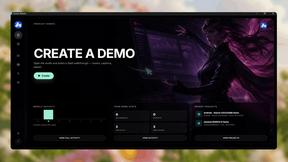
Screen Beaver
Create product videos manually or let your AI agent control Screen Beaver through MCP—no mouse or keyboard needed.

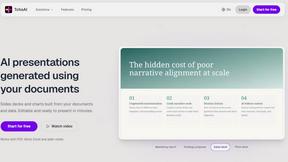


UGCad AI
AI UGC video ad Generator which Turn a URL, prompt, or template into a ready video ads
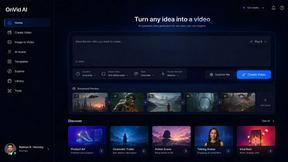
VideoAny BE
Create AI videos from text or images, generate images and audio in one online studio.
VideoAny BR
Create AI videos from text or images, generate images and audio in one online studio.
HubVanta AI
HubVanta AI helps creators generate images and videos with advanced AI tools for visual content workflows.
About happy oyster Alternatives
Happy Oyster is a specialized AI video platform that offers real-time interactive video generation through two distinct modes, positioning it within the AI video creation and AI assistant categories. Users typically seek alternatives due to specific needs such as different pricing structures, advanced customization features beyond the provided director and wander modes, higher resolution exports than 720p, or support for longer video durations. Others may require integration with existing production pipelines, team collaboration tools, or platform-specific capabilities like text-to-video without the interactive component. When evaluating alternatives, focus on core functionality such as the level of control over video output, support for reference images or style anchoring, and the availability of real-time previews. Consider the export quality, aspect ratio flexibility, and commercial usage rights, as these directly impact professional use. Additionally, examine the pricing model—whether it offers a free tier, credit-based system, or subscription—and ensure the platform aligns with your typical workflow, whether that involves structured directing or exploratory content creation.
FAQs about happy oyster Alternatives
What is happy oyster?
Happy Oyster is an independent AI video platform that provides real-time interactive video generation. It is designed for creators who want intentional control over their AI video output rather than relying on random prompts. The platform offers two distinct modes: Director Mode for structured, purpose-driven creation and Wander Mode for free exploration of AI-generated 3D worlds.
Who is happy oyster for?
Happy Oyster is built for marketers, e-commerce professionals, content creators, and artists. Marketers can turn briefs into video drafts quickly, while e-commerce users can bring product photos to life with motion. Creators use it to prototype hooks and reels with precision, and artists can block scenes and test visual tone during pre-production.
Is happy oyster free?
Yes, Happy Oyster offers a free start with 500 credits upon sign-up, and no credit card is required to begin. This allows new users to explore the platform and test its features before committing to a paid plan. Credits are used to generate videos, and users can monitor their usage within the platform.
What are the main features of happy oyster?
The main features include Director Mode, which allows users to define subject, environment, lighting, camera motion, and action, and supports reference image uploads for style consistency. Wander Mode lets users navigate AI-generated 3D worlds in first- or third-person view for mood boarding or concept scouting. The platform offers real-time previews, multiple aspect ratios, export durations of 5, 10, or 15 seconds at 720p, and transparent commercial usage rights subject to terms.